About Pulse
Pulse is our online payment portal used to access transactions made with EPASS Pay. You can use this tool as a way to view detailed information on all of your transactions, fees, and deposits.
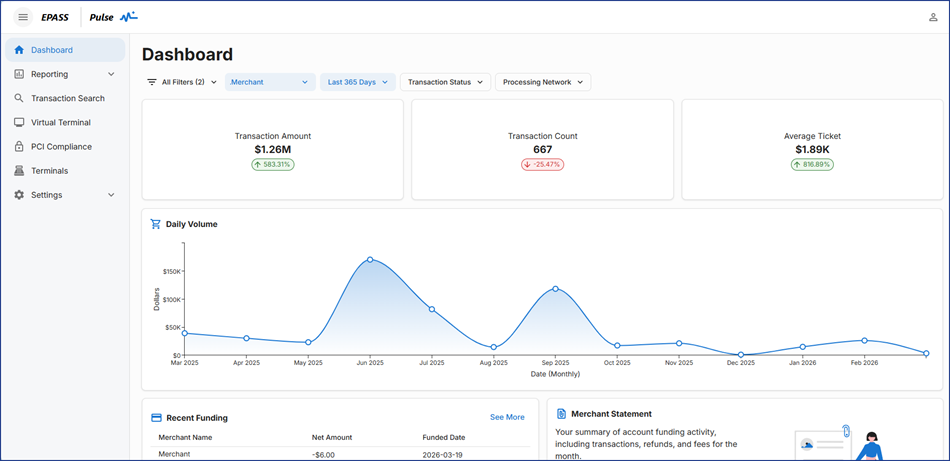
Pulse includes a virtual terminal that can process transactions, however, we recommend that you do not use this option to process payments. Any transactions processed through the virtual terminal are not recorded in EPASS. To prevent staff from accessing virtual terminal, make sure that you disable access in their EPASS User Security Settings. See EPASS Pay Security Options for more information.
Accessing Pulse
You can access Pulse from within EPASS:
-
Log into EPASS.
-
On the toolbar, click the Pulse button. Pulse opens at the Dashboard.

If the Pulse button is unavailable, you might not be correctly set up to use Pulse or have the correct security permissions. Contact your IT department for help with configuring your EPASS user account or view Setting Up EPASS Pay.
Dashboard
The dashboard provides you with a quick glance at your business or locations’ recent activity. This is the first screen you'll see when logging into Pulse and is a great snapshot of information.
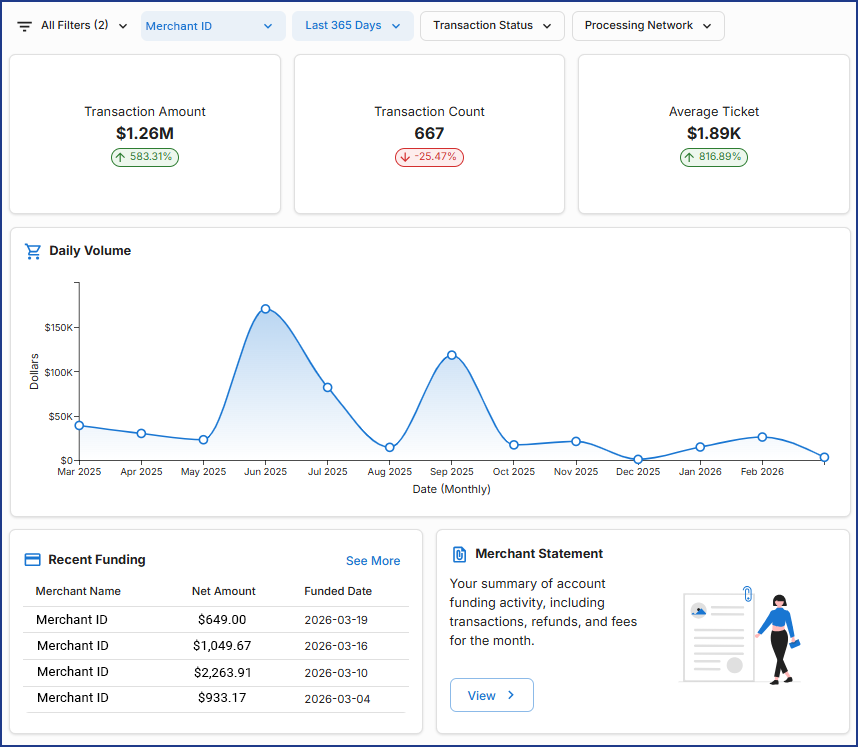
Use the filters to view data by Merchant ID, date range, transaction status, and processing network.
